Every talk, in your language.
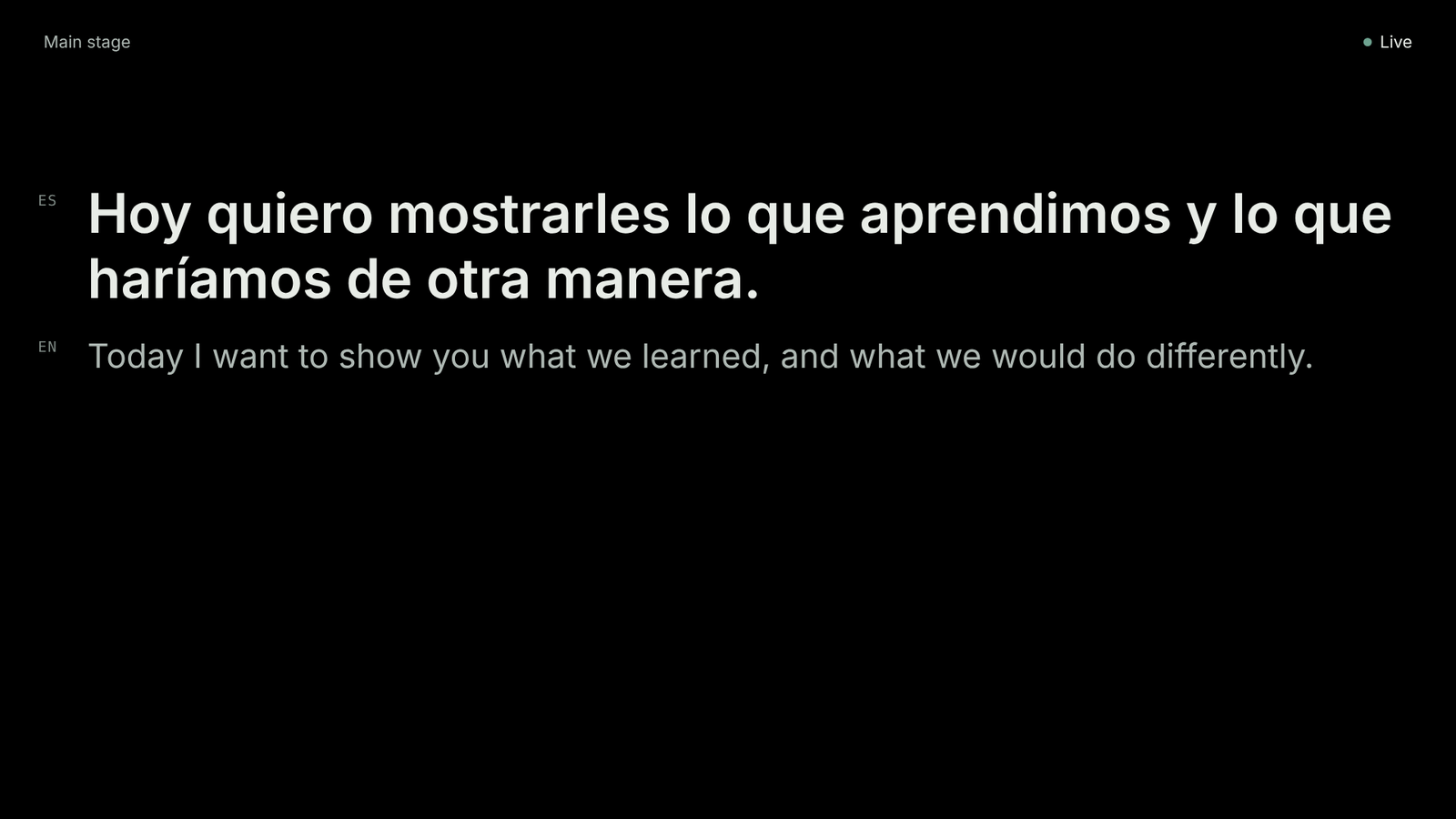
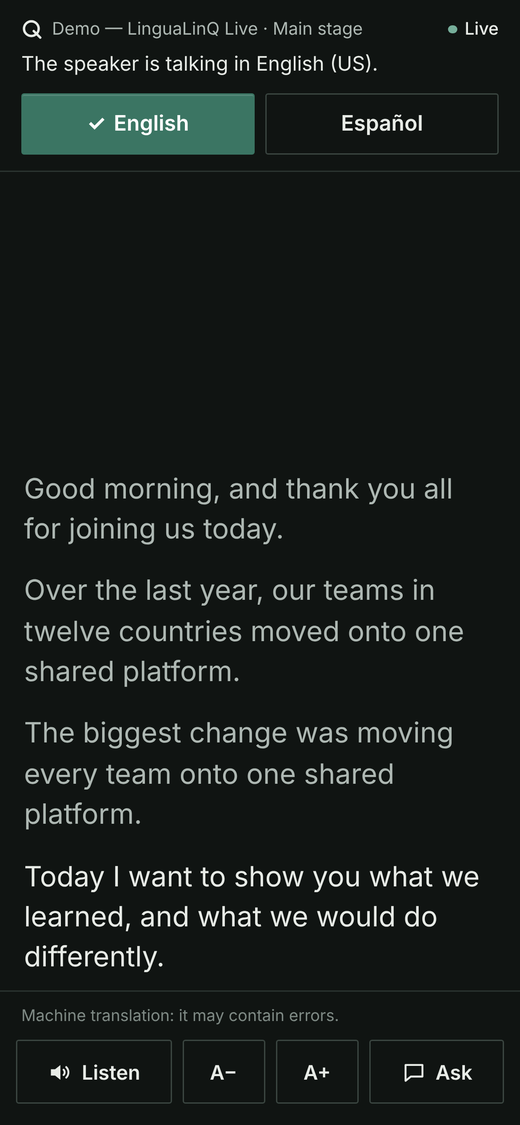
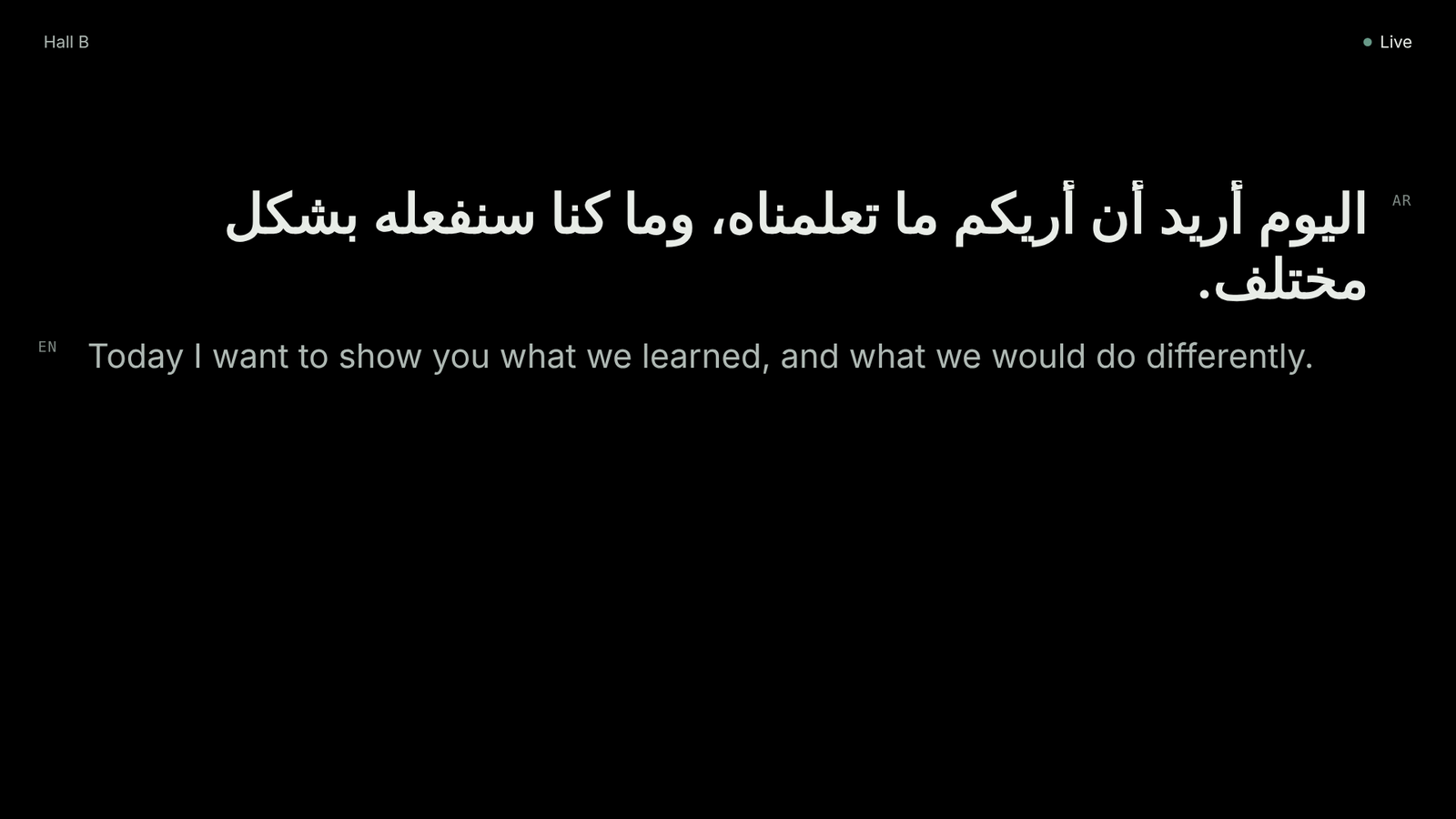
Live translated captions on the stage screen, on the stream and on every attendee’s phone. No app, no sign-up, no interpreter booths.
- No app, no sign-up
- Up to six languages per room
- Stage screen, stream and phones
How it works
Connect your sound desk
Your AV crew connects a laptop to the sound desk; our team runs every room.
Put the code on screen
Before each talk the stage screen shows the QR code. Posters, table cards and a welcome slide come ready to print for every room.
Your audience picks a language
They scan, choose one of the room’s languages and read along, or tap Listen to hear it through earbuds.
On every screen at once
The same captions reach the stage screen, the stream and every phone within seconds of each sentence.

Questions from any language
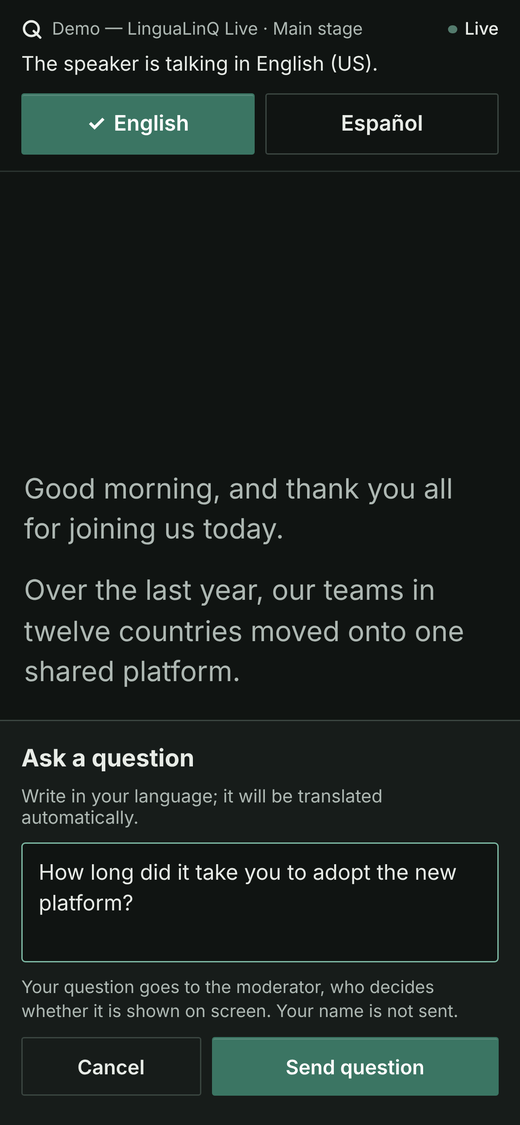
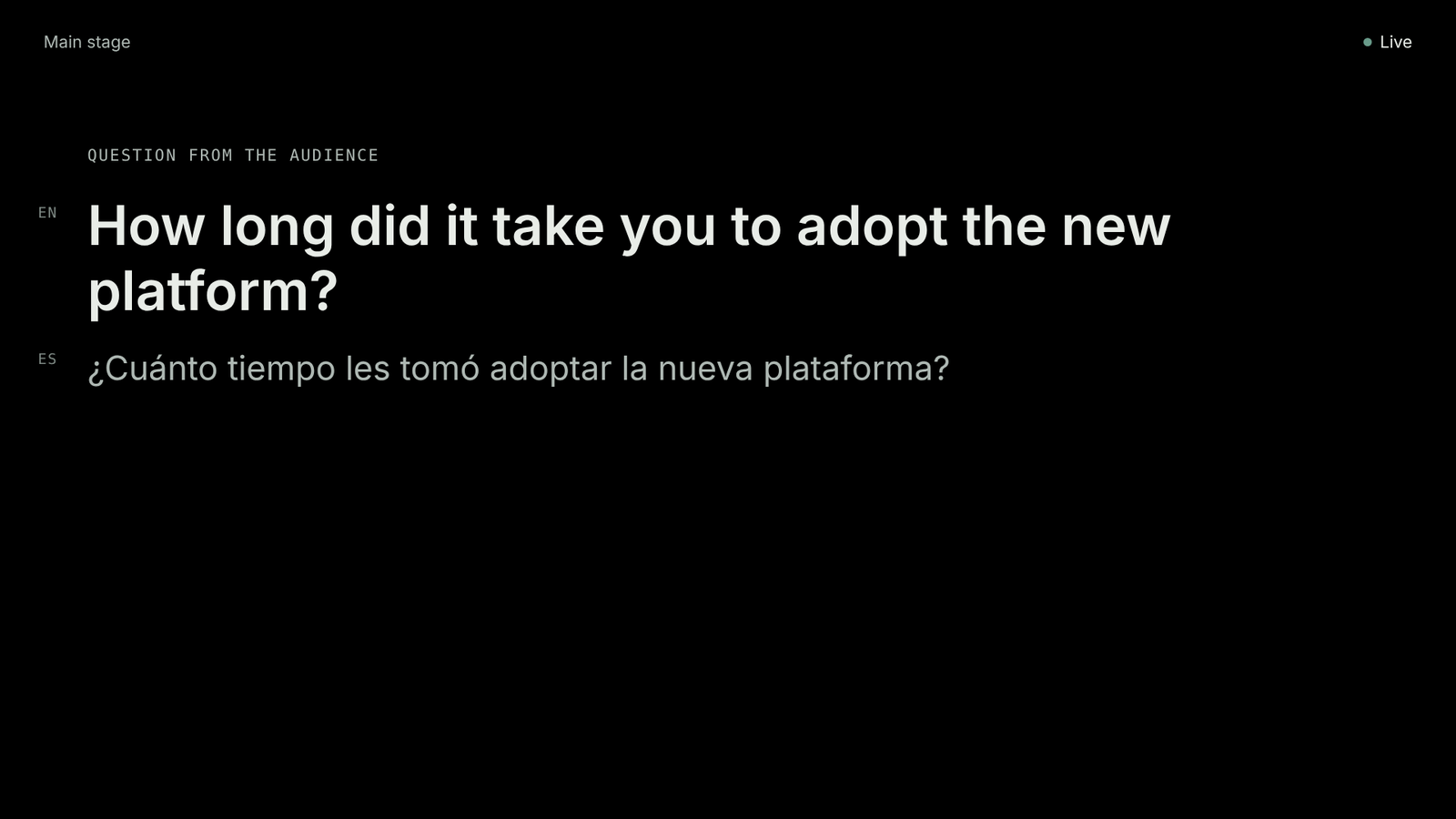
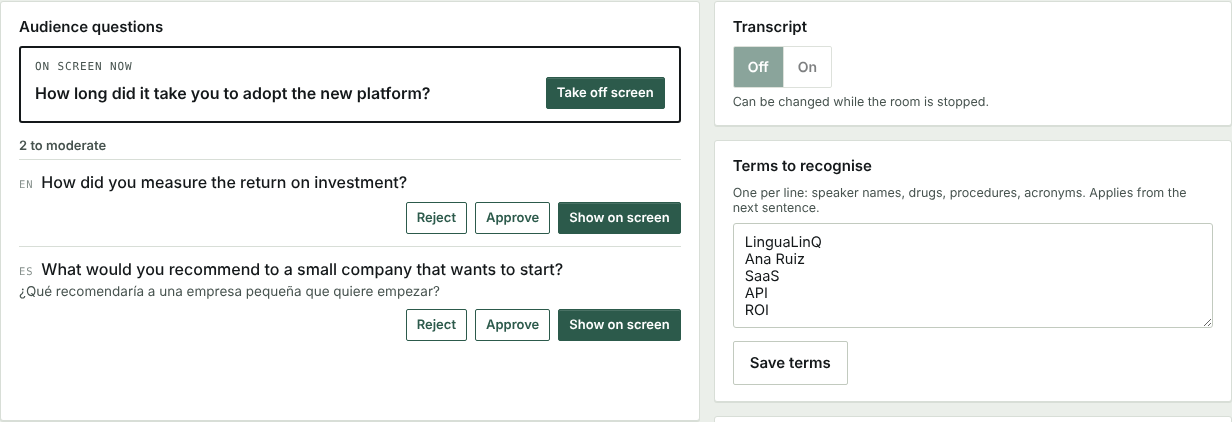
Attendees type a question on their phone in their own language. It reaches the moderator translated, and nothing appears until the moderator chooses it. On screen, the speaker reads it in their own language. No name is sent.
Set up with your team, for every room
We prepare each event with your organisers and AV crew, train your staff, and support every room while it runs.
One click between languages
The speaker’s language switches with one click, so a bilingual panel works.
Names and terms, ready in advance
Speaker names, technical terms and acronyms are added before the talk so they’re recognised correctly.
An alert if the audio stops
The operator is alerted if no speech arrives for a minute while a room is live.
Transcripts, if you want them
Turn transcripts on for a room and download each session in each language afterwards. When they’re off, nothing that is said is kept.
13 of the platform’s 70+ languages, up to six per room.
LinguaLinQ Live runs in 13 of the LinguaLinQ platform’s 70+ languages. You choose up to six for each room; the stage screen shows two of them, and each attendee’s phone can choose any.
- Español
- English
- Português
- Français
- Deutsch
- Italiano
- 中文
- 日本語
- 한국어
- العربية
- Русский
- हिन्दी
- Türkçe
What you need
- A laptop with Chrome, fed from the sound desk’s line output through a USB audio adapter — not a room microphone
- Wired internet for that laptop
- The projector or venue screen
- Wi-Fi or mobile signal for the audience — it’s text only, so very little data
- If you stream: your streaming software adds our caption bar as a browser source
Book about two weeks ahead, so we can run a 30-minute test with your equipment the week before.
Questions organisers ask
- Do attendees need an app?
- No. They scan a code or type a short web address. No app, no account, no name asked.
- How accurate is it?
- It’s machine translation, and every phone says so. Speaker names and technical terms can be added in advance so they’re recognised correctly. Captions arrive within seconds of each sentence.
- Is the talk recorded?
- Transcripts are optional. When they’re off, nothing that is said is kept. There are no audio recordings.
- Can people listen instead of reading?
- Yes. Listen reads each sentence aloud with the phone’s own voice, so earbuds are best. Where a phone has no voice for a language, it shows captions only.
LinguaLinQ Live is built on the LinguaLinQ translation platform, used in 170+ countries and territories · 70+ languages.
Bring every attendee into the talk.
Tell us about your rooms and languages.